


Audience: Portal Administrators, Security & Compliance Officers, BI Managers, Support Engineers
Regulatory & Standard Alignment: ISO/IEC 27001, NIS2 Directive, GDPR, DORA, SOC 2, NEN 7510
1. Purpose & Overview
Simple Data Loss Prevention (Simple DLP) provides a centralized, fail-safe mechanism to prevent data exfiltration across an entire Webdashboard environment.
While Purview-driven DLP relies on external label taxonomies and per-dataset metadata synchronization, Simple DLP operates natively within the Webdashboard application layer. It enables organizations to enforce an immediate, blanket block on all data extraction, sharing, and scheduled content exports—while retaining granular override capabilities on individual reports where export is explicitly required.
Core Principle: By default, all potential data exfiltration vectors are blocked portal-wide. Selective exemptions are explicitly managed and audited via a controlled report-level override.
2. Shared Responsibility Matrix (Customer vs. Webdashboard)
3. Portal Configuration & UI Mechanics
Simple DLP operates on a two-tier governance hierarchy:
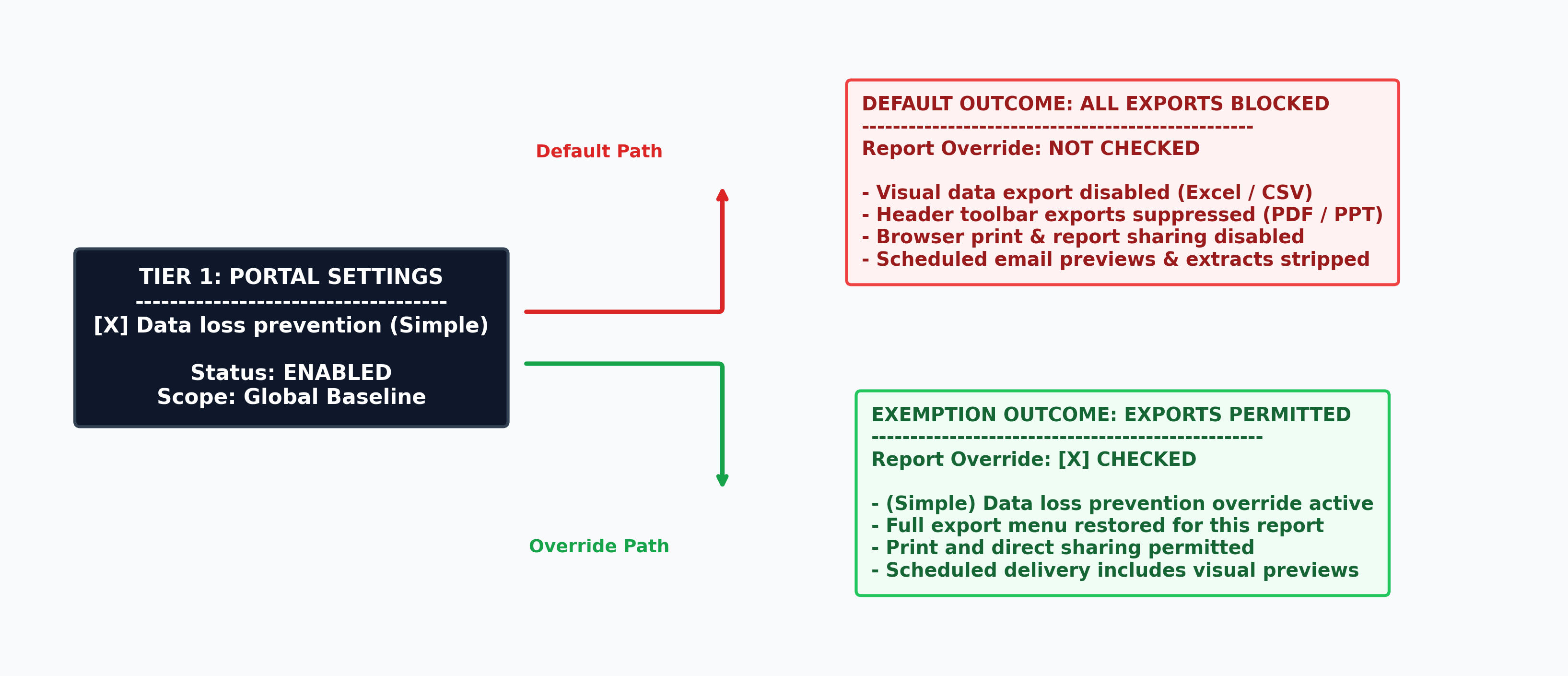
3.1 Tier 1: Portal-Wide Baseline (Portal Settings)
In the Webdashboard Portal Administration menu, navigate to Portal Settings 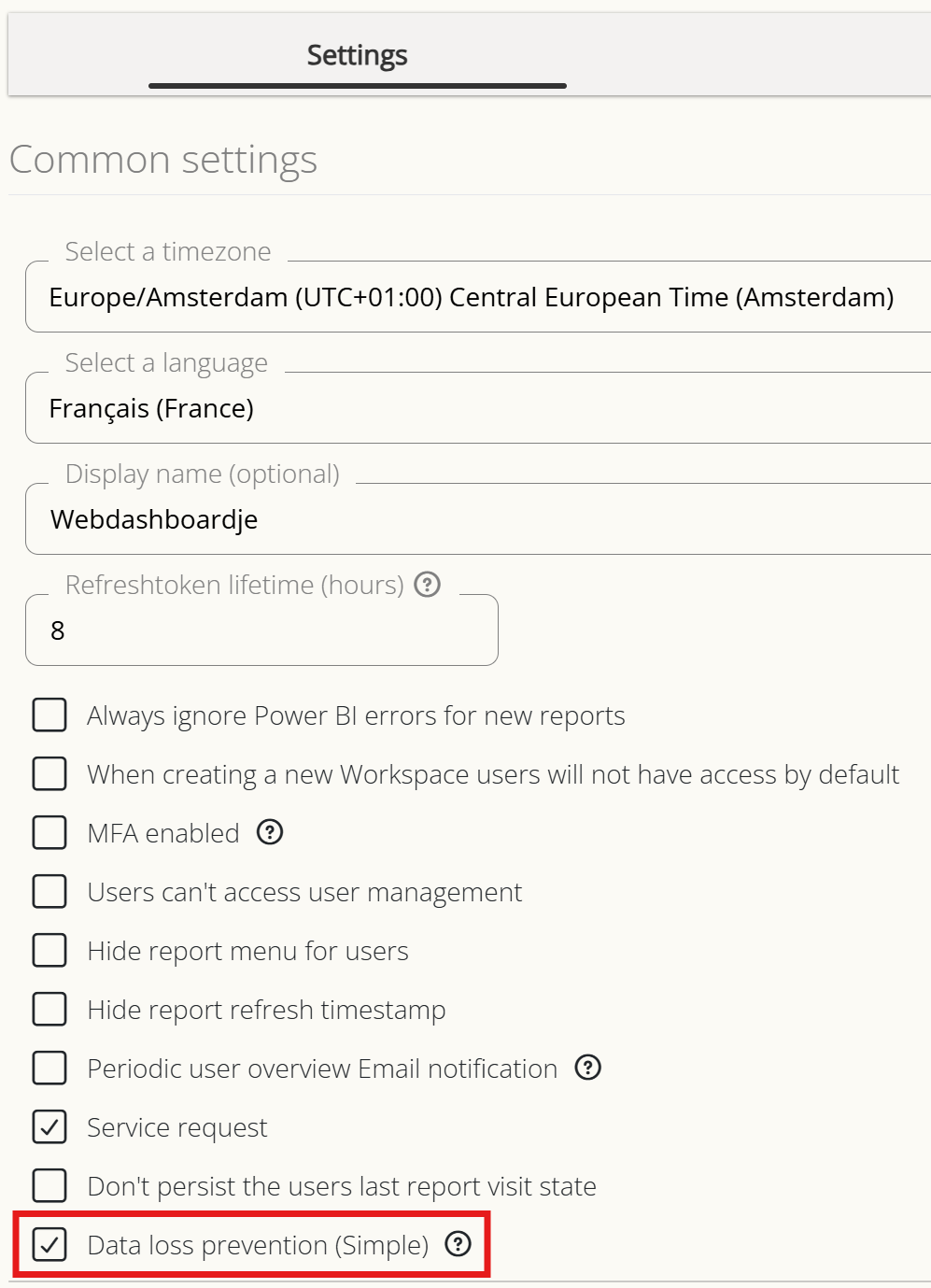
Behavior upon Activation:
Enabling this checkbox immediately activates blanket export protection across all workspaces, folders, and reports within the portal.
3.2 Tier 2: Granular Exemption (Report Settings)
When a specific report contains aggregated, non-sensitive data and legitimate business processes require exporting (e.g., standard billing lists or public operational KPIs), administrators can configure a localized override.
Conditional Display Rule:
This setting is only visible when the portal-wide setting
Data loss prevention (Simple)is set to Enabled. If Simple DLP is disabled at the portal level, this checkbox is hidden from the report settings menu.
Location: Report Settings / Report Details pane.
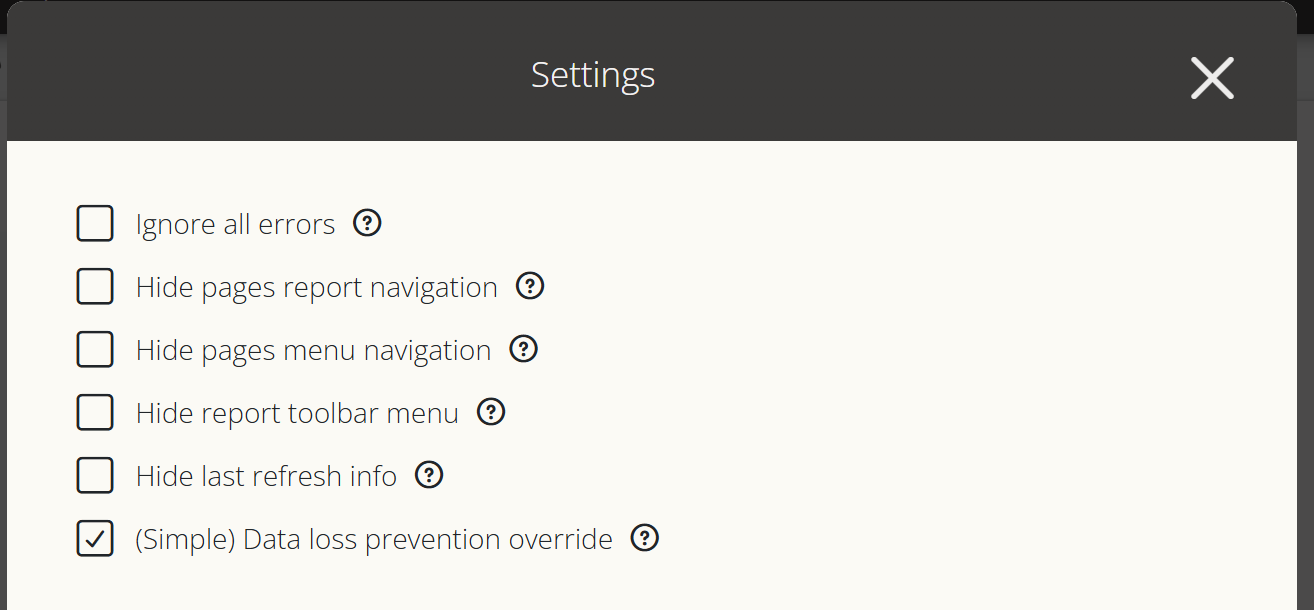
Behavior upon Activation:
Exempts this specific report from the portal-wide ban, restoring standard export, print, and sharing options exclusively for users authorized to view this report.
4. Scope of Restrictions
When Simple DLP is active (and no report override is in place), Webdashboard intercepts and disables all data extraction channels:
5. Frequently Asked Questions (FAQ)
Q: How does Simple DLP interact with Microsoft Purview Sensitivity Labels?
A: Simple DLP acts as an immediate baseline lock that does not require Purview licenses or API configuration. If both are enabled, the most restrictive policy always wins: an override in Simple DLP cannot bypass a strict Purview/DLP label prohibiting export.
Q: Does toggling Simple DLP require users to log out and log back in?
A: No. Runtime UI enforcement takes effect immediately upon the next report render or navigation event.
Q: Why are scheduled email previews suppressed under Simple DLP?
A: Email distribution is an unmonitored exfiltration path. When Simple DLP is active, outbound scheduled emails must not leak sensitive dashboard visuals or data tables into external email inboxes.